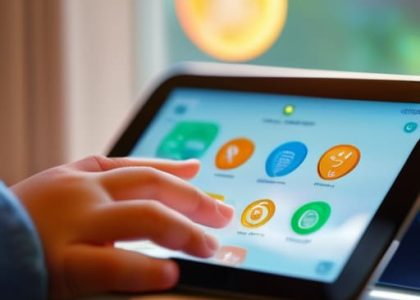
I spent three hours last Tuesday trying to troubleshoot a “smart” lightbulb that refused to acknowledge my existence, all because I fell for the marketing promise that more connectivity equals a better life. We’ve been sold this lie that a truly modern house needs to be a hive of blinking LEDs and subscription-based gadgets that require a PhD to operate. Honestly, most people are overcomplicating things; learning how to choose tech for your home shouldn’t feel like you’re studying for a systems administration certification just to turn on the kitchen lights. If a device adds more friction to your morning routine than it removes, it’s not a tool—it’s clutter.
I’m not here to give you a list of the flashiest, most expensive gadgets currently trending on social media. Instead, I want to share a framework based on years of fixing broken systems and managing chaotic workflows. I’m going to show you how to identify the few pieces of hardware that actually earn their keep by solving real problems. We’re going to focus on durability, simplicity, and utility, ensuring that whatever you bring into your space supports your life rather than demanding you manage it.
Stop Troubleshooting and Start Living How to Choose Tech for Your Home
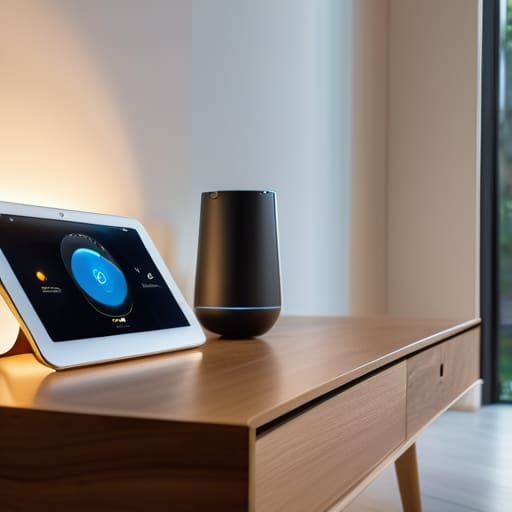
The biggest mistake I see people make is treating a tech upgrade like a shopping spree rather than a system deployment. You walk into a store, see a shiny new gadget with fifty different functions, and think, this will solve everything. But if that device doesn’t talk to the things you already own, you aren’t buying a solution; you’re just buying a new problem to troubleshoot on a Saturday morning. Before you tap your card, you need to prioritize smart home ecosystem compatibility. If your lights, thermostat, and security camera are all speaking different digital languages, you’ll spend more time fighting your apps than actually enjoying your space.
Instead of chasing every new release, I recommend a bit of intentional friction. Ask yourself: Does this device actually automate a task that currently drains my mental energy, or is it just another notification to ignore? When you’re evaluating smart home connectivity, look for reliability over sheer feature count. I’d much rather have three devices that work flawlessly every single time than a dozen “smart” trinkets that require a manual reset once a week. Aim for a setup that supports your routine quietly in the background, leaving you more time to actually live your life.
Avoiding the Gadget Trap With Smart Home Ecosystem Compatibility
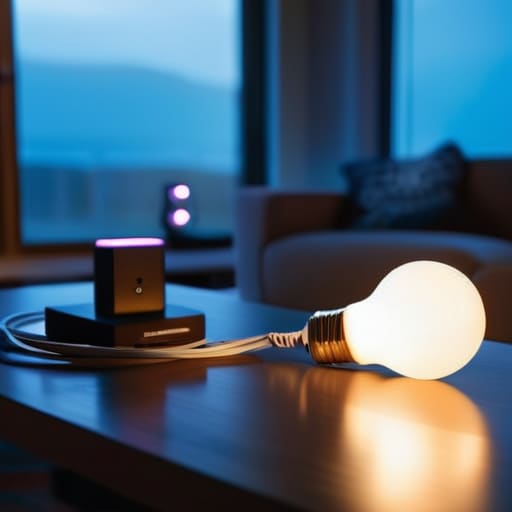
Here is the trap most people fall into: they buy a “smart” lightbulb because it’s on sale, then realize three weeks later it won’t talk to their smart speaker. Suddenly, you’ve turned your living room into a digital graveyard of apps that don’t communicate. When I’m consulting on operations, I always look for interoperability; your home should be no different. Before you tap “buy,” you need to prioritize smart home ecosystem compatibility. Whether you lean toward Apple, Google, or Amazon, stick to a primary “language” so your devices actually work together rather than forcing you to play middleman between five different interfaces.
It’s also easy to let a shiny new gadget derail your home automation budget planning. We’ve all been there—starting with a single smart plug and ending up with a $500 bill for sensors you don’t actually need. My rule of thumb is to focus on integrating smart devices with existing tech that already serves a purpose. If a new piece of tech requires you to replace your entire setup just to get it to function, it’s not a tool; it’s a liability. Buy for the system you have, not the fantasy version of the future you saw in an Instagram ad.
Smart Home Automation Budget Planning Without the Financial Headache
Here is the reality of smart home automation budget planning: it’s easy to start with a single smart bulb and end up with a credit card statement that looks like a small mortgage. The trick isn’t about how much you spend, but where you place your bets. I always tell my clients to avoid the “scattergun approach”—buying every shiny new gadget that hits the market. Instead, prioritize your home security technology essentials first. A reliable smart lock or a doorbell camera provides immediate, tangible value and peace of mind, whereas a smart toaster is just a glorified way to burn sourdough.
When you’re mapping out your spending, you have to think about future-proofing home technology. It’s tempting to grab a bargain-bin sensor today, but if it doesn’t play nice with the rest of your setup, you’re just buying a future headache. I prefer to allocate a slightly larger portion of the budget upfront to ensure everything is compatible with a central hub. Think of it like buying a good set of analog synth components; you don’t want to realize six months later that your cables don’t match your oscillators. Build your system in intentional layers, not random bursts of impulse buying.
Integrating Smart Devices With Existing Tech for Real Functionality
The biggest mistake I see people make is treating their home like a collection of isolated islands. They buy a high-end smart lock, a fancy thermostat, and a ring of cameras, only to realize they need five different apps just to lock the front door and dim the lights. This isn’t efficiency; it’s a second job. When you’re integrating smart devices with existing tech, you have to look at the connective tissue. If your new smart plug can’t talk to the hub you already own, it’s not an upgrade—it’s just another piece of plastic cluttering up your digital life.
Before you add another device to the pile, spend a moment evaluating smart home connectivity within your current setup. I always tell my clients to look for devices that support universal standards like Matter or Thread. This isn’t just about being trendy; it’s about future-proofing home technology so that when you upgrade your phone or your router in three years, your entire house doesn’t suddenly become a collection of expensive paperweights. You want a system that feels invisible, working quietly in the background to support your routine, rather than a system that requires a troubleshooting manual every time you want to brew a pot of coffee.
Evaluating Smart Home Connectivity Before the Wi Fi Fails You
Here is the reality: a smart lightbulb isn’t actually “smart” if it takes ten minutes to respond to a command because your router is struggling under the weight of three tablets and a streaming stick. Before you go shopping, you need to spend some time evaluating smart home connectivity within your actual four walls. I’ve seen too many people buy a suite of high-end devices only to realize their signal can’t even penetrate the hallway. If your connection is spotty, your “convenience” will quickly turn into a source of profound irritation.
Don’t just look at the device specs; look at your network’s backbone. I’m a big believer in future-proofing home technology by investing in a robust mesh Wi-Fi system early on. It’s much easier to build a solid foundation than it is to troubleshoot a dozen disconnected sensors every time your neighbor decides to run a heavy download. Think of it like my vintage synths: if the power supply is unstable, the most expensive circuitry in the world won’t save the sound. Build a network that can handle the load, or you’ll spend more time resetting routers than actually enjoying your home.
Home Security Technology Essentials That Actually Protect Your Peace
When it comes to security, there is a massive difference between “high-tech” and “actually helpful.” I’ve seen too many people install a dozen different cameras only to realize they have fourteen different apps to check every time they want to see if the porch is clear. That isn’t security; it’s just more digital clutter. To truly protect your peace, you need to focus on home security technology essentials that work together silently in the background. A smart lock that communicates with your doorbell and your motion sensors is worth more than a dozen standalone gadgets that require constant manual updates.
The goal here is to create a system that alerts you to actual problems, not just every stray cat that wanders across the driveway. This is where future-proofing home technology becomes vital. You don’t want to invest heavily in a proprietary system that locks you into a single brand, leaving you stuck when you eventually want to add a new sensor or a different type of light. Aim for hardware that plays well with others. If a device doesn’t integrate seamlessly into your existing setup, it’s just another thing that’s going to require troubleshooting when you’re already having a long day.
Future Proofing Home Technology So You Dont Buy Twice
There is nothing quite as infuriating as spending a Saturday afternoon setting up a “smart” device, only to realize six months later that the manufacturer has pivoted to a new standard and your gadget is now little more than an expensive paperweight. I’ve seen it happen too many times in my consulting work: people buy into a closed loop that doesn’t talk to anything else. When it comes to future-proofing home technology, the golden rule is to prioritize interoperability over shiny, proprietary features. Look for devices that support universal standards like Matter or Thread. These protocols are designed to ensure that your new smart plug doesn’t become obsolete the moment a tech giant decides to change their API.
Think of your home setup like a modular synthesizer; you want components that can be swapped, upgraded, or expanded without rebuilding the entire patch from scratch. If you’re currently integrating smart devices with existing tech, don’t just look at what the device does today—ask what it needs to do three years from now. Avoid the temptation to buy into “walled gardens” that promise a seamless experience but ultimately trap your data and your hardware. A truly resilient system is one that grows with you, rather than one that forces you into a cycle of constant, expensive replacements.
Tools That Support Your Routine Instead of Adding Stress
The biggest mistake I see people make is buying tech because it’s “cool,” only to realize a week later that it’s just another thing they have to manage. If a device requires you to open three different apps just to dim the lights or check a camera, it’s not a tool; it’s a chore. I’ve spent enough time troubleshooting broken automations to know that true efficiency comes from seamless integration. You want tech that operates in the background, quietly supporting your morning coffee routine or your evening wind-down, rather than demanding your constant attention via a barrage of unnecessary push notifications.
When you’re looking at new additions, ask yourself: does this actually solve a friction point in my day? If you’re looking at smart lighting, don’t just look at the colors; look at how it handles integrating smart devices with existing tech you already own. If it doesn’t play nice with your current setup, it’s just going to become digital clutter. We aren’t building a showroom; we’re building a functional environment. Focus on the devices that automate the mundane tasks—the ones that let you stop thinking about the small stuff so you can actually focus on the people in the room.
My Five Golden Rules for Not Turning Your Living Room Into a Server Room
- Audit your actual friction points before browsing. Don’t buy a smart coffee maker because it’s trendy; buy a smart plug for that one lamp you always forget to turn off, or a robot vacuum because you’re tired of seeing pet hair every time you look down. Solve a problem that actually exists in your daily routine.
- Prioritize local control over cloud dependency. If a device requires a constant, high-speed connection to a server halfway across the world just to turn on a lightbulb, it’s a liability, not a luxury. Look for tech that works on your local network so you aren’t left in the dark when your ISP has a bad day.
- Respect the “One-App Rule” where possible. If you find yourself opening five different apps just to dim the lights and check the front door, you haven’t automated your home—you’ve just added more digital chores to your plate. Aim for a unified interface that keeps things simple.
- Check the physical “fail-state” of every gadget. If your smart lock requires a firmware update before it will let you into your own house at 11 PM, it’s a bad piece of engineering. Always ensure there is a manual, analog way to operate your essential home systems.
- Beware of “Feature Creep” in your hardware. A smart fridge that tells you the weather is just a distraction. Stick to tools that do one or two things exceptionally well. I’d much rather have a reliable, single-purpose smart thermostat than a high-tech monstrosity that tries to manage my entire life and fails at both.
Getting Back to What Matters
At the end of the day, building a smart home isn’t about collecting the latest shiny objects or seeing how many apps you can cram onto your phone. It’s about ensuring your ecosystem is compatible, your connectivity is rock-solid, and your budget is actually serving your long-term needs rather than just feeding a temporary tech itch. We’ve covered everything from avoiding the gadget trap to making sure your security systems actually provide peace of mind instead of just more notifications to ignore. If you focus on integration over isolation and prioritize tools that fit into your existing rhythms, you’ll avoid the very troubleshooting cycles we’re all trying to escape.
Remember, the goal isn’t to live in a sci-fi movie; it’s to create a home that works for you, not the other way around. Technology should be the invisible infrastructure that supports your life, leaving you with more time to actually enjoy it—whether that’s tinkering with an old synth or just sitting in a quiet room without a device demanding your attention. Don’t let the pursuit of the “perfect” setup become another chore on your to-do list. Build it slowly, build it with purpose, and most importantly, make sure it serves your life, not your ego. Now, go put the phone down and go live a little.
Frequently Asked Questions
How do I know if my current router can actually handle adding ten more smart devices without crashing?
Look, don’t just guess and hope for the best. If your internet starts chugging every time someone turns on a smart bulb, you’ve hit your limit. Check your router’s specs for “maximum concurrent connections.” Most standard ISP-provided routers choke after about 20-30 devices. If you’re adding ten more and you’re already near that ceiling, stop buying gadgets and invest in a mesh system. It’s better to fix the foundation than to keep troubleshooting a collapsing network.
Is it worth investing in expensive, high-end brands, or can I get the same functionality from cheaper off-brand gadgets?
Look, I get the temptation to go the budget route, but don’t mistake a low price tag for a bargain. If an off-brand smart plug fails in six months or refuses to talk to your existing hub, you haven’t saved money—you’ve just added another troubleshooting task to your plate. Buy the name brands for your core infrastructure—the stuff that has to work—and save the cheaper gadgets for the low-stakes, experimental bits.
What happens to my smart locks or security cameras if my internet goes down for a few hours?
Here’s the short answer: it depends on how much you over-engineered your setup. Most smart locks have a physical key backup or a local Bluetooth option, so you aren’t locked out. Cameras are trickier; they’ll usually record to an onboard SD card, but you’ll lose that sweet real-time remote viewing until the router breathes again. My rule? Always prioritize devices with local storage and manual overrides. Don’t let a service outage turn your home into a fortress you can’t enter.
How do I keep track of all these different apps and subscriptions so my phone doesn't become a cluttered mess?
Look, a phone cluttered with “essential” apps is just a digital junk drawer. I handle this by performing a monthly audit. If you haven’t opened an app in thirty days, delete it—you can always re-download it later. For subscriptions, stop relying on your memory. I keep a dedicated page in my physical notebook with every recurring charge, the date, and the cost. If it doesn’t serve a functional purpose, kill the subscription. Simplify.